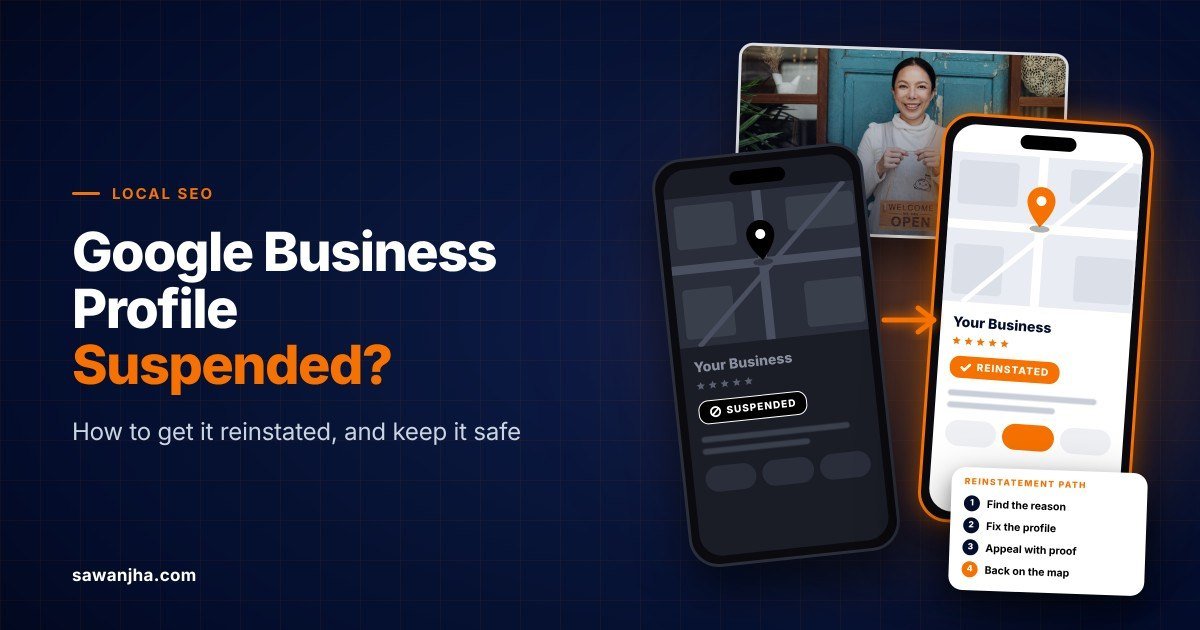
Yesterday, your Google Business Profile was there. Today, it’s gone from Maps, the calls have stopped, and there’s a red “Suspended” notice sitting in your dashboard.
I’m Sawan Jha, and I’ve been doing local SEO for 10+ years. From what I’ve seen, most suspended profiles come back. The ones that don’t are usually lost because of what the owner does in the first 48 hours, not because of the suspension itself.
In this guide, I’ll cover why Google suspends profiles, what the guidelines actually say, how to appeal step by step, how long it takes, and how to make sure it doesn’t happen again. I’ll also share a real case of a Melbourne home builder we got back on Maps in a couple of days.
First, Figure Out What Actually Happened
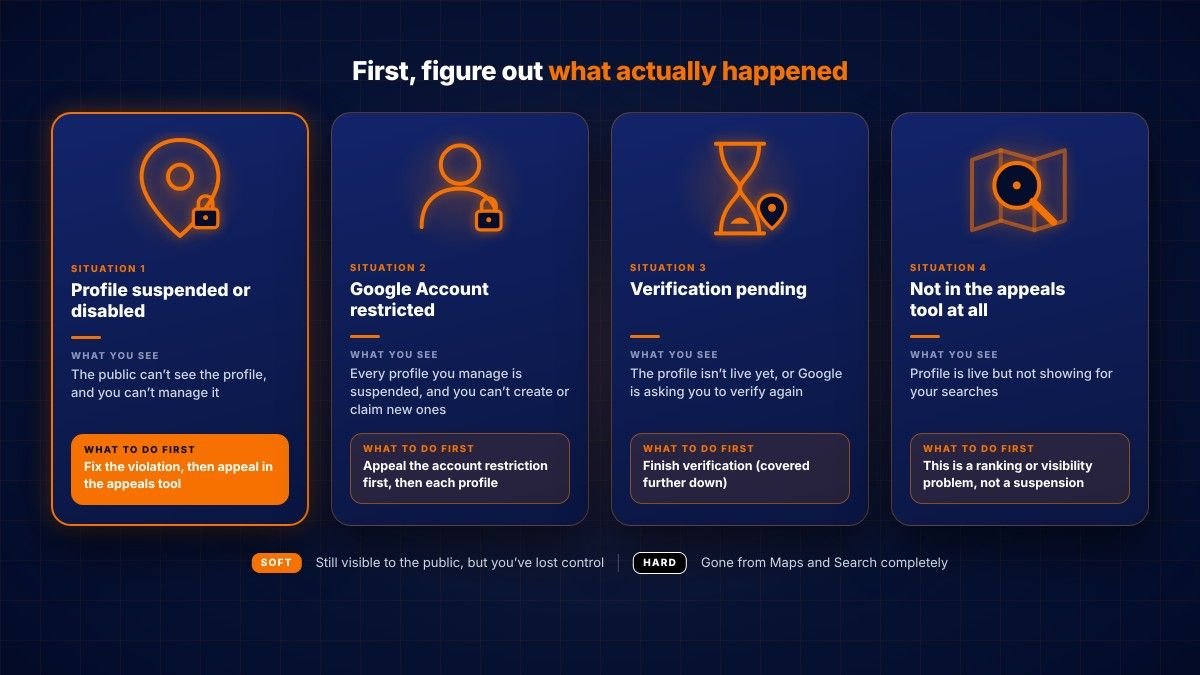
Not every missing profile is suspended, and the fix depends on your situation. Check this before you touch anything.
| Situation | What you see | What to do first |
|---|---|---|
| Profile suspended or disabled | The public can’t see the profile, and you can’t manage it | Fix the violation, then appeal in the appeals tool |
| Google Account restricted | Every profile you manage is suspended, and you can’t create or claim new ones. | Appeal the account restriction first, then each profile |
| Verification pending | The profile isn’t live yet, or Google is asking you to verify again | Finish verification (covered further down) |
| Not in the appeals tool at all | Profile is live but not showing for your searches | This is a ranking or visibility problem, not a suspension |
In the SEO world, you’ll hear “soft” and “hard” suspension. Soft means the profile still shows to the public, but you’ve lost control of it. Hard means it’s gone from Maps and Search completely. Google’s own help page on suspended profiles uses the words suspended, disabled, and restricted, and the appeal process is the same either way.
Why Google Suspends Business Profiles
Most suspensions are triggered by automated systems, not by a person at Google looking at your business. Something on your profile didn’t match Google’s guidelines for representing your business, or didn’t match what Google could verify about you.
The good news: the appeals tool now shows you the reason and links to the exact policy Google says you broke. Read it properly. It tells you what to fix.
These are the triggers I see most often:
- Keywords in the business name. Google wants the name you use in the real world, on your signage and website. Adding taglines, locations, or services (“Best Plumber Melbourne”) is the classic one.
- Name that doesn’t match your documents. Even a legit name can get flagged if Google can’t match it to real-world proof. This is exactly what happened in our case below.
- Ineligible address. Virtual offices and P.O. boxes are not allowed. Coworking spaces only qualify if you have clear signage, receive customers during business hours, and your own team staffs the office.
- Service-area setup gone wrong. If customers don’t come to you, hide your address. Google says service areas typically shouldn’t go beyond about two hours of driving from your base.
- Duplicate profiles. One business, one profile per location. Practitioners also shouldn’t make separate profiles for each specialisation.
- Category misuse. Categories should say what your business is, not every service or product it has.
- Phone and website issues. The number must connect to your location and be under your direct control. Links that redirect to other pages, including social media, aren’t allowed.
- Links or promotions in the description. No URLs, no prices, no sale offers in the business description.
- Google Account restrictions. Sometimes the problem is the account, not the profile. In May 2026, Search Engine Roundtable reported a wave of profile suspensions linked to user account restrictions, including owners who said they had done nothing unusual.
- Too many edits at once. My own observation: big changes to name, address, and category in one go, especially on a newer profile, are a common trigger.
What Not to Do in the First 48 Hours
Panic moves cause more lost profiles than the suspension itself. Avoid these:
- Don’t create a new profile. Google says it directly: don’t create a new profile for the same business. A second profile looks exactly like the kind of spam that gets accounts restricted.
- Don’t start random edits. Fix only the violation Google points to, once, and leave everything else as it is. Changing name, address, and category back and forth makes your case harder to read.
- Don’t rush the appeal. The appeals tool takes one appeal per suspension. A half-prepared appeal wastes your best shot.
- Don’t delete the profile. You lose the reviews, photos, and history you’re trying to get back.
- Don’t pay anyone promising a “direct line to Google.” There isn’t one. Good help is about preparing the appeal right, not secret contacts.
Real Case: A Melbourne Home Builder Back on Maps in a Couple of Days
One of our clients, a home builder in Melbourne, got a hard suspension. The profile was gone from Maps and Search completely, which for a builder means the enquiries stop overnight.
The reason was the business name. The name on the profile didn’t match what Google could verify about the business.
A lot of owners in this spot start renaming the profile, adding and removing words, hoping something sticks. We didn’t touch anything. We pulled the business registration certificate showing the correct registered name, attached it to the appeal, and submitted.
The profile was reinstated in a couple of days. The lesson is simple: when your information is genuine, don’t argue; prove it. One clean document that matches the profile exactly does more than a long explanation.
Get Your Evidence Ready Before You Click Appeal
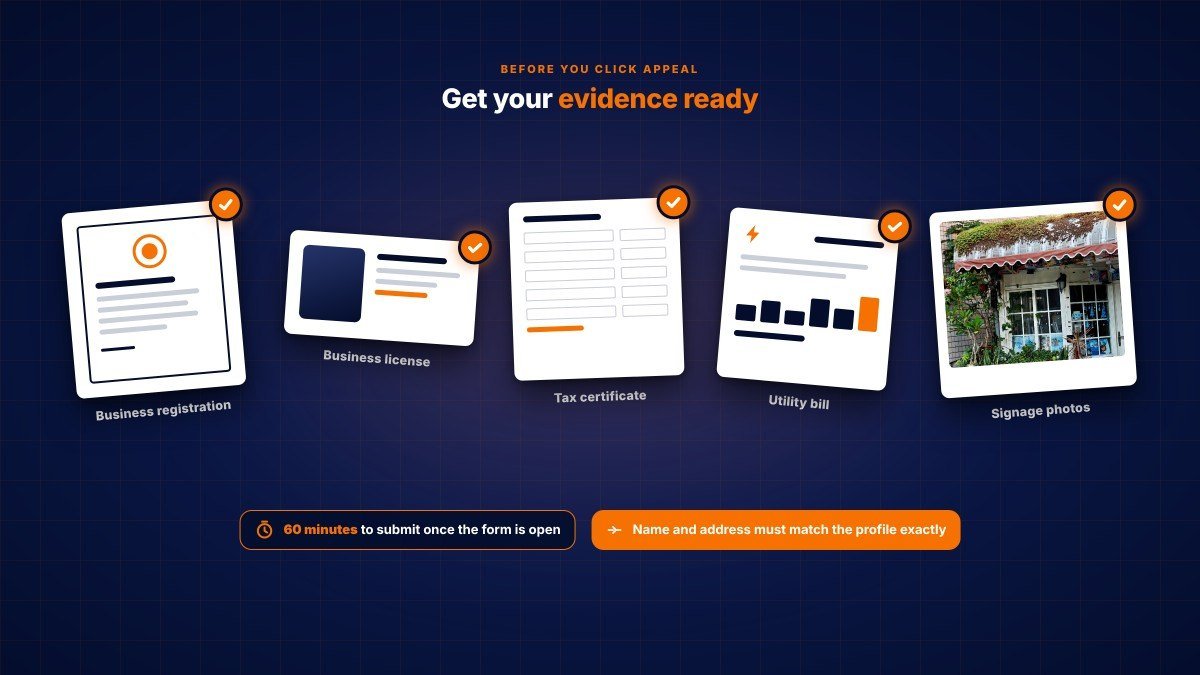
This is the step most people skip, and it’s the one that matters most. Google says that once you open the evidence form, you have 60 minutes to submit it or it won’t be attached to your appeal. So gather everything first.
Documents Google accepts as evidence:
- Official business registration
- Business license
- Tax certificate
- Utility bill (electricity, phone, water or internet)
The rule that decides most appeals: the business name and address on each document must match the profile exactly. If your certificate says “Smith Builders Pty Ltd” and your profile says “Smith Homes Melbourne”, fix that gap before you appeal, not after.
For a storefront, I also keep photos of the permanent signage and the shop front ready, plus a short video going from the street sign to the door. Put everything in one folder with clear file names so the upload takes two minutes, not twenty.
How to Appeal a Suspended Google Business Profile, Step by Step
Once your evidence is ready, the appeal itself takes about 15 minutes. Do it in this order:
- Check your Google Account first. If the account is restricted, every profile on it is suspended. Appeal the restriction from your Google Account’s My accounts page. Only after it’s lifted can you appeal the profile.
- Open the Google Business Profile appeals tool and sign in with the account that owns the profile.
- Select the profile and the decision you’re appealing. The tool shows the decision date, the reason, the policy you broke, and whether it can be appealed.
- Fix the violation the policy points to, if you haven’t already.
- Write a short explanation. Three or four plain sentences: what the business is, what you fixed, and what your documents prove. No essays, no emotion.
- Upload your evidence when the tool asks for it, and submit within the 60-minute window.
- Wait for the email. You can check status in the appeals tool. Don’t submit multiple appeals for the same issue while you wait.
Managing more than 10 suspended locations? The tool asks if you want bulk reinstatement. You’ll attach a spreadsheet with each Business Profile ID and the supporting documents, and names and addresses must match your registration exactly. If you run several locations, my guide on multi-location local SEO covers how to keep them consistent so this doesn’t happen in the first place.
What If Your Appeal Gets Denied?
A denial isn’t the end. Google says you may be able to request an additional review, but only after a denial, and you can add evidence that wasn’t in the original appeal.
Here’s how I’d handle it:
- Read the denial email carefully. It often hints at what still doesn’t match.
- Find the gap, then fill it. Usually it’s a document where the name or address is slightly different from the profile. Get one that matches.
- Reply to the support email if the first answer didn’t solve it. Google says its support team will help process the appeal from there.
- Post in the Google Business Profile Help Community. Product Experts there can escalate genuine cases. Share facts, not anger.
If you’re in the EEA, you may also have extra redress options. This second round is where an experienced eye really pays off, because every extra attempt gets slower.
Reinstated? Check These Things Straight Away
Getting the approval email feels great, but don’t close the tab yet.
- Search your business name on Google and Maps from a phone and confirm the profile shows.
- Count your reviews. In August 2026, Search Engine Roundtable reported that Google is aware of reviews going missing after reinstatement. If yours are missing, reply to the support email on your ticket to document it. Reviews carry a lot of weight now, as I explain in why reviews matter more than ever for AI search.
- Watch calls and direction requests for the next couple of weeks. Rankings can take a little time to settle back.
- Hold off on big edits. Let the profile sit stable for a while before changing anything major.
New Profile Stuck in Verification? How to Get It Approved
A profile that’s waiting on verification isn’t suspended, but it’s not live either. Google picks the verification method for you based on your business type and region. It can be a phone call or text, email, a live video call, a postcard, or a video recording.
According to Google’s verification guide, reviews take up to 5 business days, and rarely longer. To get through on the first try:
- For video, be at the business. Show your location (outside signage or a street sign), your business or equipment (branded items, tools you use), and proof you manage it (keys, staff-only areas, the register).
- Make sure you can answer your business phone or receive texts before asking for a code.
- Don’t edit the name, address, or category while you’re waiting for a postcard code, or the code won’t work.
- Don’t request a second postcard. It cancels the first one and delays everything.
- If you see “Review issues” after a video, click it and follow the on-screen steps.
Google may also ask an existing profile to verify again, usually after recent changes to business details. Treat it the same way.
How to Make Sure Your Profile Doesn’t Get Suspended Again
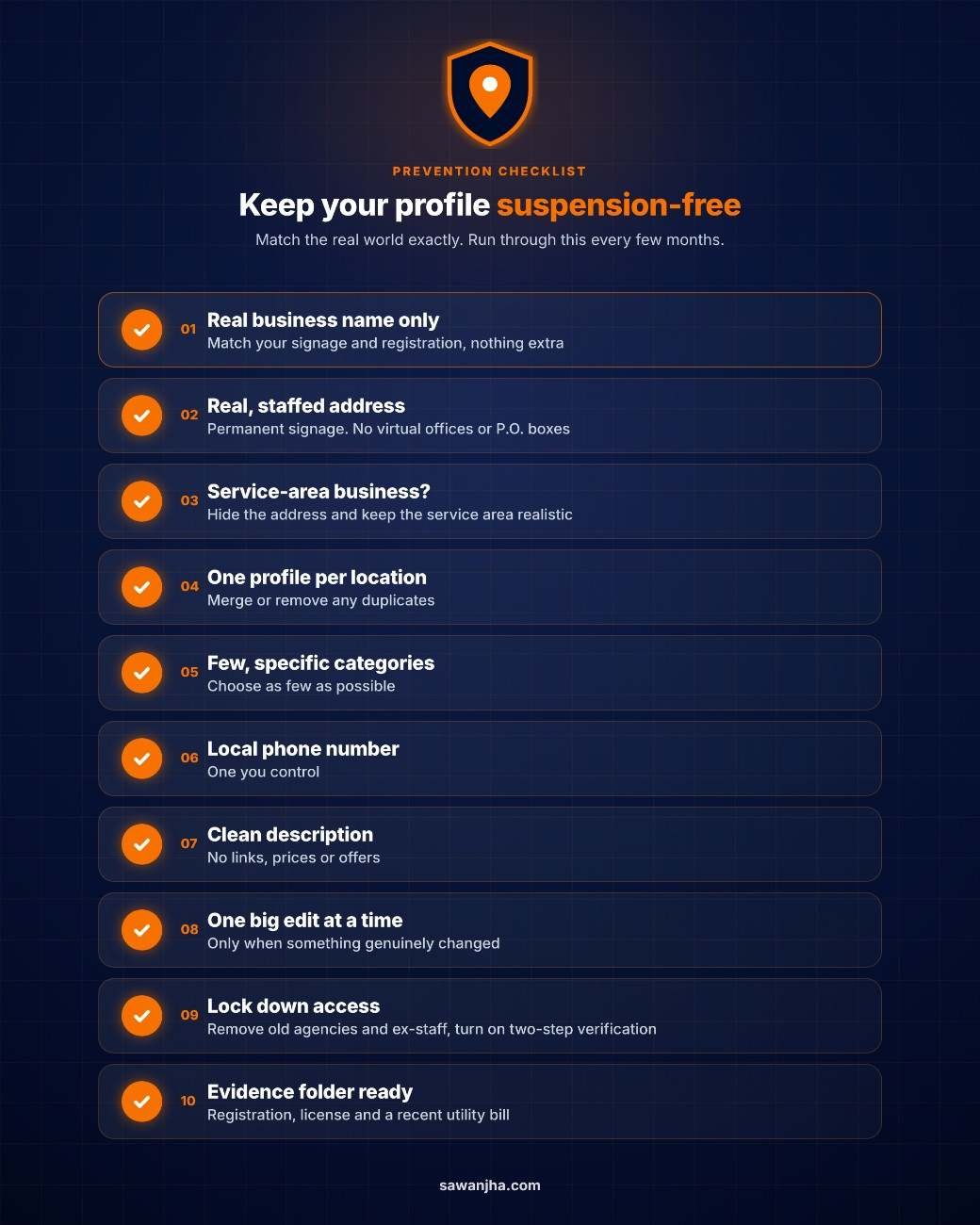
Prevention is mostly about one thing: your profile should match the real world exactly. Run through this list every few months.
- Use the business name on your signage and registration; nothing extra.
- Use a real, staffed address with permanent signage. No virtual offices or P.O. boxes.
- Service-area business? Hide the address and keep the service area realistic.
- Keep one profile per location and merge or remove duplicates.
- Choose as few categories as possible, and make them specific.
- Use a local phone number you control.
- Keep links, prices,s and offers out of the business description.
- Make big edits one at a time, and only when something genuinely changed.
- Lock down access: remove old agencies and ex-employees from your profile, and secure the owner’s Google Account with two-step verification. A restricted manager account can take your profile down with it.
- Keep your registration, licence,se and a recent utility bill in one folder, ready to go.
For the full optimisation side, read my step-by-step Google Business Profile guide for 2026.
Frequently Asked Questions
How long does a Google Business Profile suspension last?
It lasts until your appeal is approved. Google says it reviews and clears up most requests within 3 to 5 days. Some take longer, especially with an account restriction or a second review. Our Melbourne home builder was back in a couple of days.
Is a Google Business Profile suspension permanent?
Not usually. Google doesn’t describe suspensions as permanent, and a denied appeal can get an additional review. But if the business genuinely isn’t eligible, for example, it only has a virtual office, the profile won’t come back until that’s fixed.
Is a Google Account suspension permanent?
An account restriction is separate from a profile suspension, and you appeal it from your Google Account’s My accounts page. Google says that if an owner’s account is removed, the locations they own are removed too, but reinstating the account restores them.
Can I just create a new Google Business Profile instead?
No. Google says not to create a new profile for the same business. It can make things much worse, and you’d lose your reviews anyway.
Will I lose my reviews after a suspension?
Reviews normally come back with the profile. Google is aware of some cases where reviews went missing after reinstatement, so count them once you’re live again.
Why was my profile suspended without any warning?
Most suspensions come from automated checks, so there’s no warning. Open the appeals tool to see the reason and the policy Google cited.
How long does Google Business Profile verification take?
Google reviews verification for up to 5 business days, and rarely longer. Some profiles verify instantly.
Can an agency get my profile reinstated faster?
No one has a fast lane with Google. What experience gives you is a correct appeal on the first attempt, which is usually the fastest route anyway.
Final Word
A suspended profile feels like the end of the world, but it’s usually a paperwork problem. Find out why it happened, fix only that, prove it with documents that match, and appeal once, properly.
If your profile is suspended right now and you want a second pair of eyes before you hit submit, my team at Elysian Digital Services handles these cases regularly. Reach out, and we’ll tell you honestly whether you need help or can do it yourself.