Most local businesses still treat their Google Business Profile like a digital business card. Fill in the name, address, phone number, add a few photos, done. That approach stopped working a while back, and in 2026 it’s actively costing you visibility.
Google runs local ranking algorithms separately from core organic search, and the profiles winning the map pack right now are built deliberately around how those algorithms behave today. Three things changed the game this year specifically:
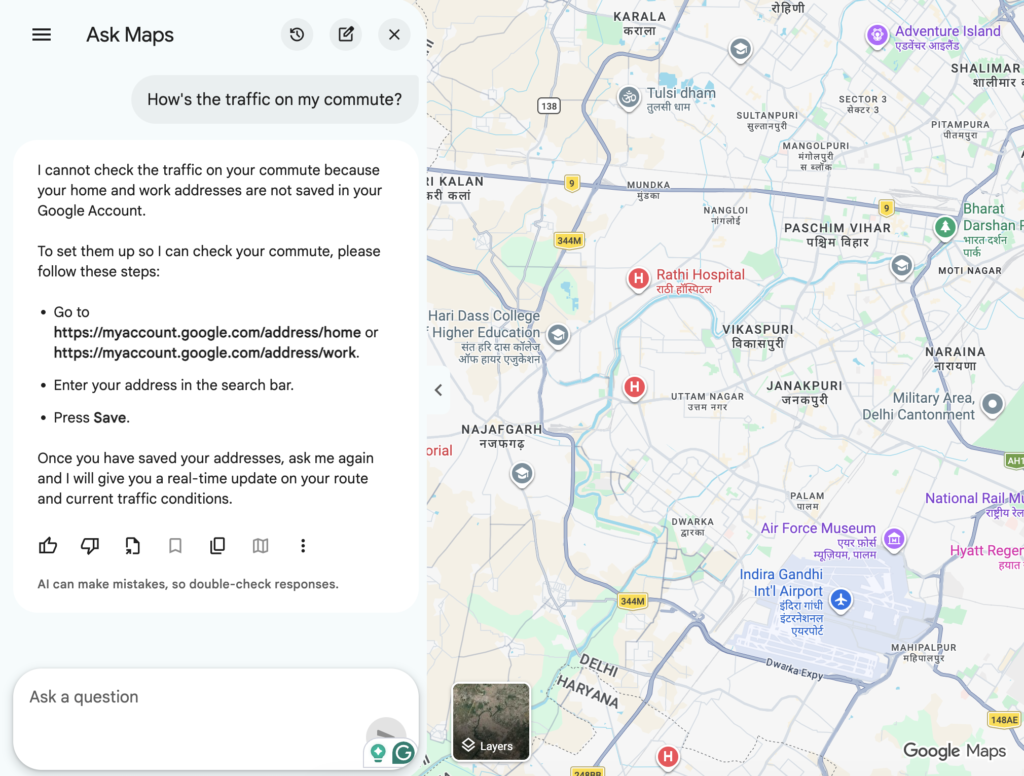
- Google replaced the manual Q&A section with Ask Maps. Gemini now generates instant answers to customer questions by scanning your profile, website, and reviews, instead of waiting for you to type a reply.
- Video verification is now the default for new listings in most regions.
- Insights now splits impressions by surface: the classic local panel, the Maps AI summary card, and Google AI Overviews in organic search, tracked separately instead of lumped into one number.
If you want the wider picture on how AI Overviews are reshaping what gets clicked on at all, I broke that down in Is Google Citing Your Website in AI Overviews?. For everything else, you can browse the full library on sawanjha.com.
Here’s the whole thing at a glance before we go step by step.
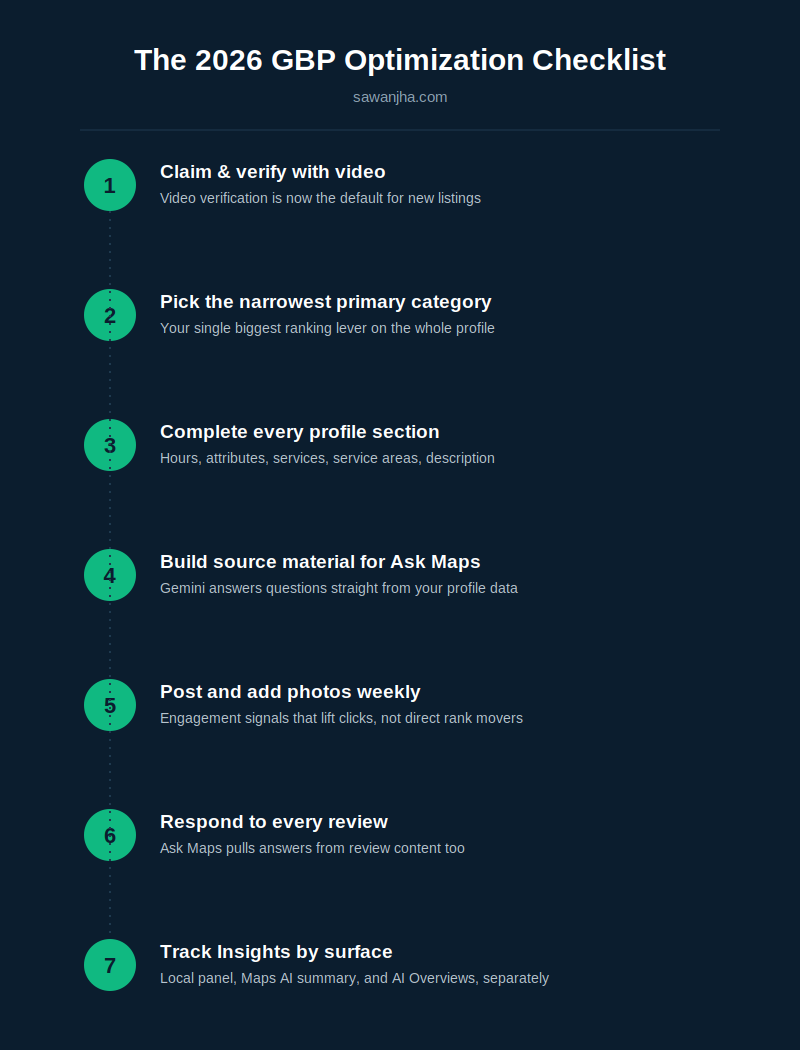
Step 1: Claim and verify your profile correctly
If you haven’t claimed the listing yet, this is where it starts, and it’s less trivial than it used to be.
Video verification is now the default
For most new listings, Google requires a single continuous video take that shows your signage, your interior, and you performing a live management action inside the dashboard, like editing your hours in real time. Google’s own video verification guidelines spell out exact requirements: at least 30 seconds, no cuts, no pre-recorded footage. A few things that trip people up on the first attempt:
- Record in one continuous take; don’t cut or edit the clip
- Make sure exterior signage is clearly visible and matches your listed business name
- Perform the management action on camera, not before or after recording
If you’re relocating, know the hidden-address trap
If a service-area business moves, do not simply edit the address on the existing profile. Google permanently logs the original verified address in its system even after you hide it from public view, and editing the old listing often leaves you ranking from the address you just left, this is a pitfall I’ve seen trip up more than one client mid-move. The safer path:
- Update your website, footer, and contact pages to the new address and a matching local phone number first
- Verify a brand-new listing at the new address rather than editing the old one
- Contact Google Support afterward to mark the old profile closed and request your reviews transfer over
Step 2: Choose your categories strategically
Primary category is your single biggest ranking lever
Nothing else you edit on the profile moves Maps visibility as much as this one field. Switching a listing from a broad category like “Law Firm” to a specific one like “Personal Injury Attorney” can shift rankings more than any other on-profile change you could make. Always pick the narrowest category that’s still accurate, not the broadest one that technically fits.
Add every relevant secondary category
Secondary categories capture long-tail search volume that your primary category misses. Google also rolls out new category options periodically, and getting into a newly available category before your competitors notice it exists is a real, if small, edge. If you’re auditing what categories competitors are using, that’s exactly the kind of research I cover in my local SEO tools roundup (once live), GMB Everywhere in particular is built for this.
Step 3: Fill out every section properly
- Business hours, including holiday hours
- Attributes (accessibility, payment options, amenities)
- A full list of products and services, described specifically, not generically
- Accurate service areas if you’re a service-area business
Rewrite the AI-suggested description; don’t just accept it
Google’s dashboard now offers a “Suggest Description” tool that drafts your business description for you. Use it as a starting point, never as a final answer. Edit the draft to include hyperlocal keywords and your specific differentiators; the AI’s version tends to be generic by default.
Step 4: Build source material for Ask Maps
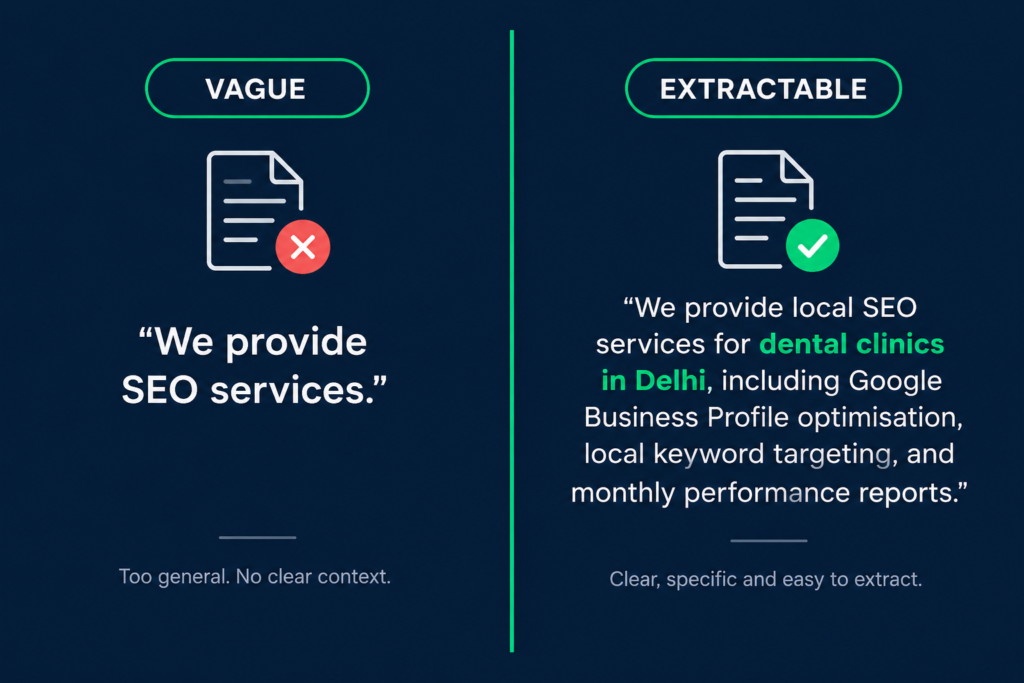
This is the part most business owners haven’t adjusted to yet. Google confirmed the shift itself: a Google Product Specialist explained on the Business Profile Help Forums that the change was made because the old Q&A had become unwieldy for customers to sort through, and that instant AI answers now draw on your profile answers and relevant reviews instead. That confirmation was first reported by Search Engine Roundtable. What that means practically is your job shifts from “answering questions” to “giving the AI good material to answer with.” I go into this same principle in more depth in how to get cited by ChatGPT and AI Overviews; the logic is identical, just applied to your Google Business Profile specifically:
- Writing detailed, specific service descriptions instead of vague ones
- Making sure your website clearly states things customers commonly ask about (parking, wait times, accessibility, specific services offered)
- Treating your reviews as source material too, since Gemini pulls from review content when generating answers
Step 5: Use posts and photos as engagement tools, not ranking hacks
Posts, Events, and Offers lift click-through in the local panel, but they do not directly move your position in the pack. Post weekly anyway, just don’t expect it to fix a ranking problem that’s actually a category or review problem.
- Publish at least one Post per week
- Add new photos regularly, not just at setup
- Use Offers and Events around anything time-bound
Step 6: Manage reviews actively, not reactively
Reviews now do double duty. They influence trust signals the way they always have, and they’re now literal source material for Ask Maps responses. Respond to every review, positive or negative, with specific, useful language rather than a generic thank-you, since that response text becomes part of what the AI has to work with too.
Step 7: Track the right metrics on the right surface
Since Insights now breaks impressions into three separate surfaces, local panel, Maps AI summary card, and AI Overviews, a flat “views went up” number tells you a lot less than it used to. Check all three separately, and watch your overall action rate (calls, direction requests, website clicks against total views). A healthy benchmark to aim for across all actions combined is around 5%.
My take
Skip a step here, and the profile doesn’t fail loudly; it just quietly loses ground to a competitor who did all seven. If I had to rank these by impact for a client starting from zero: primary category first, source material for Ask Maps second, everything else after that. Posts and photos matter, but they’re maintenance, not the lever that moves you from page two of the map pack to the top three.