
Type “schema markup” into Google and you will land on a dozen guides written for people who already know what HTML is. That is not you, and it is not most local business owners either. So let’s slow down and do this properly.
By the end of this, you will know exactly what schema markup is, why it quietly decides whether ChatGPT or Google trusts your business enough to mention it, and how to add it yourself this week. No developer needed.
What Schema Markup Actually Is
Think of your website like a shop with no signage. A human customer can still walk in and figure out you sell shoes. But a robot standing outside cannot. It just sees a building.
Schema markup is the signage for robots. It is a small piece of code you add to your website that says, in a language search engines and AI tools understand: “This is a business. Here is the name. Here is the address. Here are the hours. Here is what we do.”
Technically, this code follows a shared vocabulary maintained at Schema.org, which is the reference standard that Google, Bing, and pretty much every major search and AI system builds on. You do not need to memorise it. You just need to know it exists and that it is the “official dictionary” your schema code is written in.
The code itself usually sits in a format called JSON-LD. It looks intimidating the first time you see it, curly brackets and quotation marks everywhere, but you are not writing this from scratch. You are filling in a template. More on that below.
Why This Actually Matters in 2026
Here is the part most guides bury halfway down the page, and I think it deserves to be first.
Search is not just Google’s ten blue links anymore. When someone asks ChatGPT “which dentist near me has good reviews” or Gemini “is this plumber trustworthy,” these AI tools are not guessing. They are pulling from structured, verifiable facts about your business wherever they can find them. Schema markup is one of the clearest signals you can hand them.
If your business details only exist as plain text scattered across your homepage, an AI tool has to guess and interpret. If those same details exist as clean schema, the AI tool can lift them directly and trust them. That difference is often why one local business gets mentioned by AI and its identical competitor down the street does not.
This ties directly into something I covered in more depth in how to optimise your local SEO for AI search: AI systems reward businesses that make their facts easy to verify, and schema is the single most direct way to do that.
One honest caveat, because I would rather you know this upfront than get disappointed later: schema markup does not directly move your rankings the way backlinks or reviews do. What it does is build trust and unlock visibility, rich snippets, star ratings, FAQ dropdowns, business hours showing right in the search result. That visibility compounds. A listing with stars and hours showing will usually get clicked more than a plain blue link sitting one spot above it.
If you are not sure whether your current setup is even being picked up by AI tools yet, that is worth checking before you go further. I wrote a separate guide on how to find out if Google is citing your website in AI Overviews, which is a good five-minute detour if you want a baseline before making changes.
The Only Three Schema Types You Need to Start With
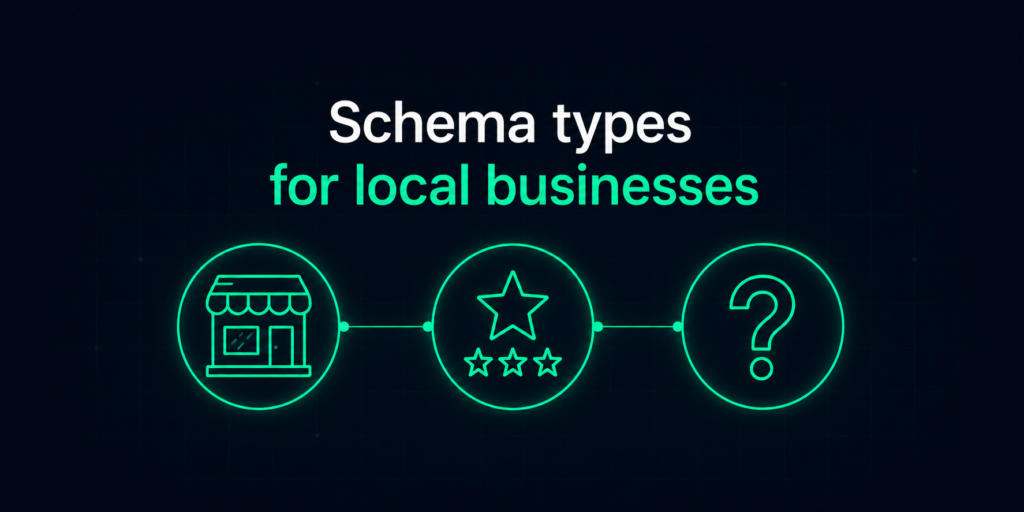
Every guide you will find lists ten or more schema types: Product, Service, Event, Organization, Review, FAQ, and on and on. As a beginner, ignore almost all of that for now. Three types cover roughly ninety percent of what a local business actually needs.
- LocalBusiness This is your foundation. It carries your business name, address, phone number, hours, and category. If you only add one type of schema this week, make it this one. It goes on your homepage.
- Review This carries your customer ratings and testimonials in a format search engines can read and display as star ratings. If you already collect reviews on Google or your own site, this is low effort with a visible payoff.
- FAQ If you have a frequently asked questions section anywhere on your site, this schema type lets those questions and answers show up directly in the search result as expandable dropdowns. It is one of the easiest wins available.
Once these three are in place and working, you can look into more specific types like Service (for individual service pages) or Product (if you sell physical items). But do not start there. Start with the foundation.
How to Actually Add It, Step by Step
You have three realistic options depending on your comfort level and website platform.
Option 1: WordPress plugin (easiest, no code). If your site runs on WordPress, plugins like Rank Math or Yoast SEO have local business schema built in. You fill in a form (business name, address, hours) inside the plugin’s settings, and it generates and inserts the code automatically. This is the option I recommend for almost everyone reading this.
Option 2: Google’s guidance and a template (moderate effort). Google publishes official documentation on how structured data should be formatted and implemented, which is worth bookmarking even if a plugin does the heavy lifting for you. If you want to go manual, search for a “LocalBusiness JSON-LD template,” fill in your business details in place of the example data, and paste the completed code into your site’s HTML, usually right before the closing </head> tag.
Option 3: Hire it out (fastest, zero risk). If editing your site’s code makes you nervous, this is a genuinely small, one-time task for a developer or an SEO service to knock out in under an hour. There is no shame in outsourcing a five-minute technical task if it is not your strength.
Whichever route you take, the goal is the same: your business facts end up wrapped in that JSON-LD code, sitting on your site, ready for search engines and AI tools to read.
How to Check It Actually Worked
Never assume your schema is working just because you added it. Run it through Google’s Rich Results Test by pasting in your page URL. It will tell you exactly what schema it detected and flag any errors, like a missing phone number field or an incorrectly formatted address.
Fix whatever it flags, retest, and you are done. This takes two minutes and will save you from finding out three months later that your schema was broken the whole time.
Common Beginner Mistakes to Avoid
A few things trip up almost everyone starting.
Inconsistent business details. Your name, address, and phone number in your schema need to exactly match what is on your Google Business Profile and everywhere else online. Mismatches confuse both search engines and AI tools, and undercut the trust you are trying to build.
Adding schema for things that do not exist. If your schema claims you have reviews or an FAQ section but your actual page does not show them, this counts as misleading structured data. Only mark up what is genuinely visible on the page.
Setting it up once and forgetting it. If your business hours change or you move locations, your schema needs updating too. It is not a “set once, forget forever” task.
Trying to add every schema type at once. Start with LocalBusiness, Review, and FAQ. Get those working cleanly before you touch anything else.
The Bottom Line
Schema markup will not fix a struggling local SEO strategy on its own, and I would rather tell you that now than have you expect a miracle. What it does is make sure that when AI tools and search engines go looking for facts about your business, they find clean, trustworthy, easy-to-parse information instead of guesswork. In a search landscape increasingly run through AI, that trust is becoming the whole game.
Start with LocalBusiness schema this week. Add Review and FAQ once that is live and tested. That alone puts you ahead of most local businesses still ignoring this entirely.